
Technical SEO Audit Guide: Keep Traffic Growing in 2026

A technical SEO audit checklist is a step-by-step process for finding and fixing crawl, index, rendering, and performance issues that limit search visibility. It standardizes diagnostics across robots, sitemaps, canonicals, redirects, and Core Web Vitals, so you can resolve blockers quickly and keep organic growth compounding. Use it before/after major releases.
Quick Summary
This guide gives you a complete technical SEO audit checklist, a step-by-step workflow, a comparison of audit approaches, and a buying guide for tools and partners. It reflects 3Beavers’ technical focus on crawlability, indexing, Core Web Vitals, and AI-ready schema—so fixes ship faster and rankings, traffic, and conversions improve.
- What you’ll get: definitions, why it matters in 2026, step-by-step audit, and best practices.
- What to check: robots, sitemaps, redirects, canonicals, internal links, rendering, CWV, schema.
- What’s different now: INP-first performance, AI Overviews readiness, governance in CI/CD.
- How we help: 3Beavers pairs technical SEO, content optimization, and LLM SEO to drive results.
What Is a Technical SEO Audit Checklist?
A technical SEO audit checklist is a structured set of diagnostics that validates crawlability, indexation, rendering, site performance, and structured data. It turns complex web audits into consistent, repeatable steps so teams can uncover blockers, prioritize fixes by impact, and verify improvements across devices and templates.
The checklist is your reliability playbook. It keeps foundational systems—robots directives, XML sitemaps, canonical tags, redirects, and Core Web Vitals—healthy. It also surfaces duplication, parameter sprawl, thin content, orphan pages, and schema gaps. Used on a cadence, it prevents regressions during migrations and routine releases.
At 3Beavers, we build audits around business goals. We blend technical SEO, search engine optimization strategy, and conversion-focused content to ensure issues don’t just get reported—they get resolved and measured. The outcome: higher visibility, faster pages, and more qualified conversions.
Why Technical SEO Audits Matter in 2026
Audits protect growth by ensuring pages are discovered fast, render correctly, and meet page experience thresholds. In 2026, INP-focused performance standards and AI-driven surfaces reward fast, stable pages with clean semantics and schema depth, making technical SEO non‑negotiable.
Search is now multimodal and AI-assisted. Slow, render-blocked, or poorly structured pages are less likely to earn snippets, links, or AI citations. Core Web Vitals—LCP, INP, and CLS—set experience thresholds: aim for LCP under 2.5s, INP under 200ms, and CLS under 0.1 for stable, responsive pages users trust.
Audits also align teams. When engineering, product, and content share the same dashboard, fixes ship faster. We’ve seen that pairing index coverage gains with performance improvements lifts conversions within a release cycle. That’s why our technical SEO services emphasize measurable outcomes, not just reports.
How a Technical SEO Audit Works (Step-by-Step)
A modern audit follows six stages: baseline measurement, crawl and render, index analysis, performance profiling, on-page and schema checks, then prioritization and roadmap. Each stage gathers evidence, sizes impact, and feeds an implementation plan with clear owners and timelines.
- Baseline: Define KPIs (non‑branded clicks, conversions, CWV pass rate). Pull last 90–180 days of search, analytics, and log trends to establish seasonality and regression risk.
- Crawl & Render: Simulate bots and devices. Capture JavaScript rendering paths, blocked resources, and errors that stop critical content from loading or being indexed.
- Index Analysis: Compare submitted vs. discovered URLs. Review coverage reports, canonical signals, and parameterized duplicates to validate index hygiene.
- Performance Profiling: Measure LCP, INP, and CLS by template and device. Profile images, fonts, third-party scripts, and main-thread work to cut response delay.
- On‑Page & Schema: Verify titles, headings, internal links, and structured data against business intent. Ensure markup matches visible content.
- Prioritize & Roadmap: Stack‑rank issues by traffic-at-risk and fix complexity. Produce a 30/60/90‑day plan with owners, test cases, and acceptance criteria.
Here’s the thing: an audit that doesn’t become a roadmap won’t change outcomes. We package findings into implementation briefs engineering can ship, then we track deltas in index coverage, CWV, and conversions so progress is unmistakable.
The Complete Technical SEO Audit Checklist
Use this technical SEO audit checklist to validate robots.txt, XML sitemaps, canonical tags, redirects, internal linking, rendering, and Core Web Vitals. Then verify schema coverage, hreflang (if needed), pagination, and error handling. Track fixes with annotations to confirm crawl budget and ranking improvements.
- Robots & Crawling
- Robots.txt returns 200; rules don’t block essential paths.
- No accidental
noindexon key templates; prefernoindexover disallow for deindexing. - Remove obsolete crawl-delay directives (ignored by Google).
- XML Sitemaps
- Expose
/sitemap.xml(index) with child maps per type. - Only 200-status, canonical URLs; accurate
lastmodvalues. - Exclude parameter, paginated, or alternate versions unless intentional.
- Expose
- Rendering
- Critical content available in initial HTML or reliably hydrated.
- Unblock resources (JS/CSS) needed for rendering; fix console errors.
- Use server-side or hybrid rendering for heavy JS experiences.
- Indexation
- Self-referencing canonicals; avoid conflicting signals across headers, tags, and sitemaps.
- Parameter rules contain duplicates; apply consistent normalization.
- Use
noindexfor thin/utility pages; prune dead URLs.
- HTTPS & Security
- Force HTTPS; enable HSTS; fix mixed content and expired certs.
- Add security headers; block staging/preprod from indexation.
- Redirects
- 301 for permanent moves; avoid chains/loops; cap at one hop.
- Normalize trailing slash, casing, and
wwwvs. apex.
- Performance (Core Web Vitals)
- LCP under 2.5s; optimize hero images, priority hints, and preload critical resources.
- INP under 200ms; reduce main-thread work, defer non‑critical JS, and limit third‑party scripts.
- CLS under 0.1; reserve space for media, avoid layout shifts, and load fonts predictably.
- Mobile & UX
- Responsive layout; accessible navigation; adequate tap targets.
- Avoid intrusive interstitials; ensure forms and modals are keyboard-friendly.
- Internal Links
- Key pages within three clicks; no orphan pages; descriptive anchor text.
- Add HTML sitemaps only when navigation needs reinforcement.
- Structured Data
- Valid schema (Organization, Article, Product, etc.) that mirrors visible content.
- No spammy markup; keep IDs stable; maintain consistency across alternates.
- Internationalization
- Hreflang pairs are reciprocal; canonical-language mapping is consistent.
- Regional alternates correctly target language-region combinations.
- Pagination
- Unique titles and canonicals to self; provide crawlable URL paths beyond infinite scroll.
- Error Handling
- Helpful 404 with search and popular links; use 410 for permanently removed content.
- Avoid soft 404s; monitor 5xx spikes and error rates.
- Logs & Monitoring
- Analyze server logs to confirm crawl access to key sections and templates.
- Set alerts on crawl rate, 5xx errors, and Core Web Vitals degradation.
Need a ready-made worksheet? Many teams start with a baseline technical SEO audit checklist resource and then adapt it to their stack, templates, and governance rules.
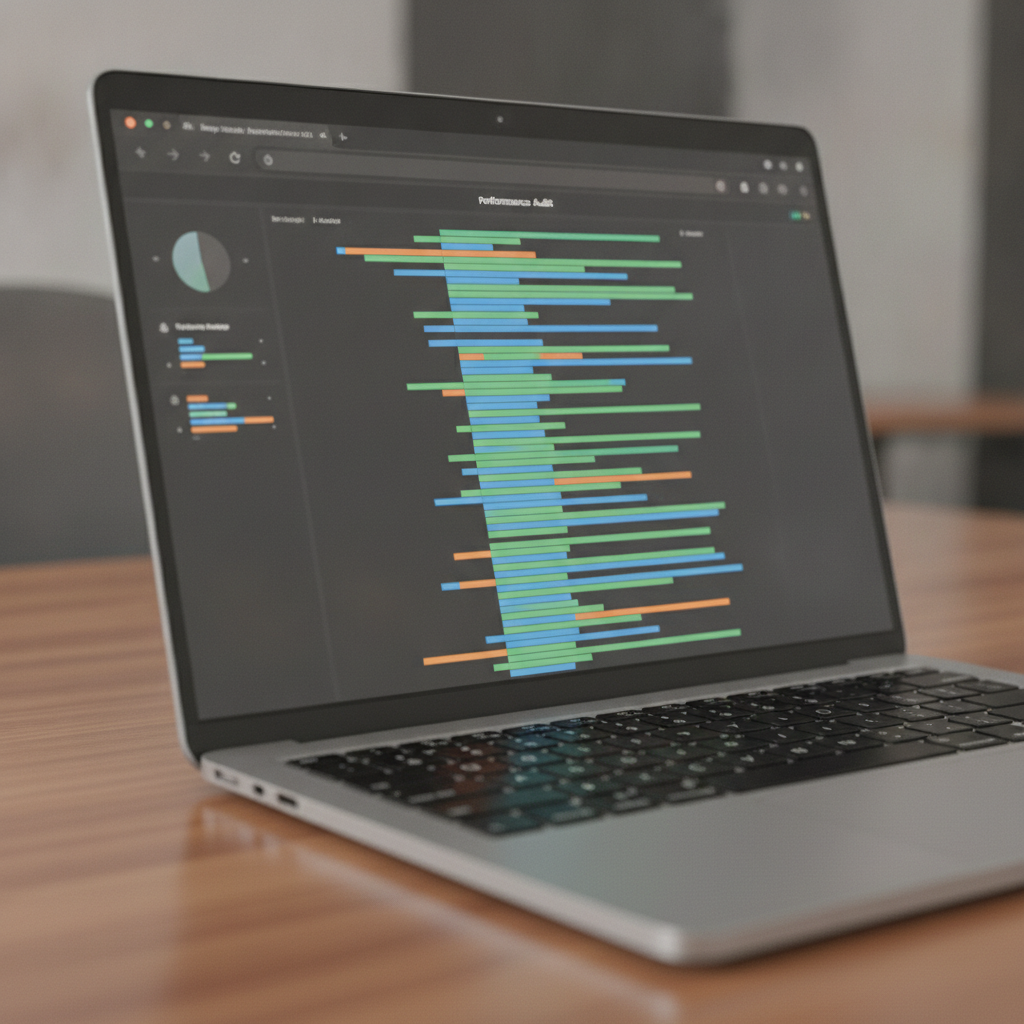
Manual vs Automated vs Hybrid (Comparison)
Hybrid audits are the sweet spot. Automated crawlers surface coverage fast, while human review validates intent, UX, and edge cases. Use tools for scale and experts for strategy—so the roadmap focuses on high‑leverage fixes that actually move revenue metrics.
| Approach | Strengths | Limitations | Best For |
|---|---|---|---|
| Automated | Speed; broad coverage; repeatability | False positives; lacks context | Weekly health checks |
| Manual | Context; UX judgment; strategy alignment | Time-consuming; limited scale | Pre‑migration QA; complex sites |
| Hybrid | Scale + insight; better signal/noise | Requires workflow & expertise | Quarterly audits and roadmaps |
We recommend starting automated crawls weekly, then layering quarterly hybrid audits for deep dives. This balance keeps your site healthy while giving room for strategic improvements and experimentation.
Best Practices and Common Pitfalls
Treat the checklist as a living system. Automate measurement, document decisions, and keep a change log. Most regressions come from untracked releases, redirect sprawl, template drift, and uncompressed media—issues you can prevent with governance and CI checks.
- Automate the boring: Scheduled crawls, CWV monitoring, and sitemap validation catch regressions early.
- Define ownership: Assign DRIs for robots, sitemaps, redirects; require PR checklists for SEO-sensitive changes.
- Prevent bloat: Compress images; lazy‑load below‑the‑fold media; archive thin pages; tame URL parameters.
- Track everything: Annotate releases; dashboard index coverage; alert on 5xx spikes and CWV drops.
- Secure the edge: Enforce HTTPS; renew certs; add security headers; block staging from indexing.
Want a content angle too? See our note on why quality content matters for rankings in content is essential for SEO. Technical fixes amplify strong content; together they’re compounding.
Tools and Resources
Pair a fast crawler with performance data, log analysis, and schema testing. Use analytics and search coverage signals for prioritization, then maintain shared dashboards so engineering and content move together toward measurable improvements.
- Crawlers: Enterprise or desktop crawlers to map status codes, directives, duplication, and click depth.
- Performance: Field (real‑user) data for LCP/INP/CLS; lab tools for controlled experiments.
- Validation: Schema testing; robots and sitemap validators; HTML and accessibility linters.
- Observability: Log analyzers; uptime and 5xx monitors; alerting tied to thresholds.
- Governance: Change logs; PR templates; SEO signoff in release workflows.
If you’re getting started, an SEO checklist tool can help standardize tasks while you refine a custom playbook for your stack and templates.

How to Choose Tools & Partners (Buying Guide)
Choose tools that match your site’s size, tech stack, and workflow. When hiring a partner, look for technical depth, transparent reporting, and a track record of shipped fixes and Core Web Vitals gains—because audits without implementation won’t change outcomes.
Tool selection checklist
- Scale fit: Crawler can handle your URL count and JavaScript rendering patterns.
- Speed to insight: Issue grouping, deduped findings, and exportable fix lists.
- Data quality: Field + lab performance data; log ingestion; stable device/location sampling.
- Collaboration: Roles, permissions, annotations, and integrations with your stack.
- AI era readiness: Schema depth, content semantics, and AI Overview optimization support.
Partner evaluation signals
- Evidence-first reporting: Before/after CWV and index-coverage deltas with annotations.
- Technical depth: Comfort with rendering, CDNs, edge redirects, and complex architectures.
- Delivery discipline: Roadmaps with clear owners, acceptance criteria, and QA gates.
- Cross-functional empathy: Can they partner with devs, content, and product under real deadlines?
- Cultural fit: Transparent communication and shared definitions of “done.”
Helpful overview material like this primer on steps in an SEO audit can help align stakeholders on process while your team prepares deeper technical requirements.
Case Studies & Examples
In our experience at 3Beavers, the fastest wins pair crawl fixes with page performance. Cleaning sitemaps, removing redirect chains, and optimizing media often lifts index coverage and conversions within one release cycle—especially when combined with targeted content improvements.
Mini wins we’ve repeated across sites
- B2B SaaS: Consolidated parameter duplicates with rules and canonicals; reduced average crawl depth from 5 to 3, improving discovery of feature pages.
- Ecommerce: Rebuilt sitemap index to include only 200, canonical URLs; pruned dead listings; fixed 302 product loops; categories achieved “good” CWV on mobile.
- Publisher: Added Article and Organization schema; repaired orphan archives; added HTML sitemaps to expose evergreen series and guides.
- Lead-gen: Normalized casing and trailing slash; cut redirect chains; contact templates loaded 30% fewer third‑party scripts, improving INP.
- Marketplace: Implemented structured data for product variants; reduced layout shifts by reserving image space; stabilized CLS under 0.1.
- Education: Blocked staging environments; added security headers; resolved mixed content warnings that limited crawl efficiency.
- Healthcare: Introduced server‑side rendering for critical content; ensured hydration reliability; increased snippet eligibility on condition pages.
- Fintech: Reworked pagination with crawlable paths beyond infinite scroll; improved indexation of historical statements and blog archives.
- Hospitality: Compressed hero images and implemented priority hints; LCP improved on location templates without visual trade‑offs.
- Nonprofit: Built change logs and PR templates; tracked releases with annotations; reduced regressions from template changes.
- SMB: Eliminated orphaned service pages and improved internal anchors; conversions rose as key services became easier to find.
- Consumer retail: Implemented font-display swaps and preloaded critical fonts; reduced INP on mobile product pages.
- Media: Aligned headlines and schema with visible content; improved eligibility for rich results on reviews and how‑tos.
For a strategy layer on top of the technical work, review our take on SEO strategies for small businesses and the basics of Google algorithm updates. Strong content and smart distribution compound the technical gains.
Key Takeaways
Successful audits are repeatable, prioritized, and tied to delivery. Balance automation with expert review, monitor Core Web Vitals, and keep a shared dashboard so engineering, content, and product march in step toward measurable wins.
- Use a technical SEO audit checklist to standardize diagnostics and prevent regressions.
- Target LCP < 2.5s, INP < 200ms, and CLS < 0.1 across key templates.
- Keep crawls, CWV monitoring, and coverage checks on a schedule with alerts.
- Adopt a hybrid approach: automated discovery plus expert interpretation and planning.
- Tie every fix to an owner, acceptance criteria, and visible before/after deltas.
Frequently Asked Questions
How often should we run a technical SEO audit?
Quarterly is a solid default for most sites. Also run focused audits before and after major releases or migrations. Keep weekly health checks for crawls, Core Web Vitals, and index coverage so regressions surface quickly and don’t snowball.
What’s new in 2026 that changes the checklist?
Interactivity to Next Paint (INP) replaced FID as the interactivity metric to watch, so JS efficiency matters even more. Expect AI summaries to reward fast, well‑structured pages with robust schema, making performance budgets and governance part of SEO—not extras.
Do we need both XML and HTML sitemaps?
XML sitemaps help search engines discover canonical URLs at scale. HTML sitemaps are optional but can reduce orphaning and improve navigation on large sites. Use both when they add clarity without duplication or maintenance overhead.
Is a technical SEO audit checklist enough for AI Overviews?
It’s necessary but not sufficient. You’ll also want authoritative content, strong internal linking, and deeper schema so entities and relationships are clear. That’s why we pair technical fixes with content optimization and LLM SEO at 3Beavers.
Where can I find a starter template?
Begin with a public template and adapt it to your stack and governance. As a starting point, review a general-purpose technical audit checklist and customize it for your site.
Conclusion
The best technical SEO audit checklist is actionable, automated where sensible, and owned by a cross‑functional team. When audits feed a prioritized roadmap—and fixes actually ship—you preserve rankings, lift conversions, and keep compounding organic growth.
Ready to turn diagnostics into durable gains? Explore our technical SEO program and broader SEO services. If you want the strategic layer, our work on keyword optimization and conversion‑focused content shows how technical and content combine to drive growth.